 GBP Compass
Chrome extension for local SEO
Know what to fix on any Google Business Profile.
Open a business on Google Maps and GBP Compass audits the profile and the website it links to, compares it with the top 20 results, and gives you a clear fix list.
Free to use. Audits run in your browser. Not affiliated with Google.
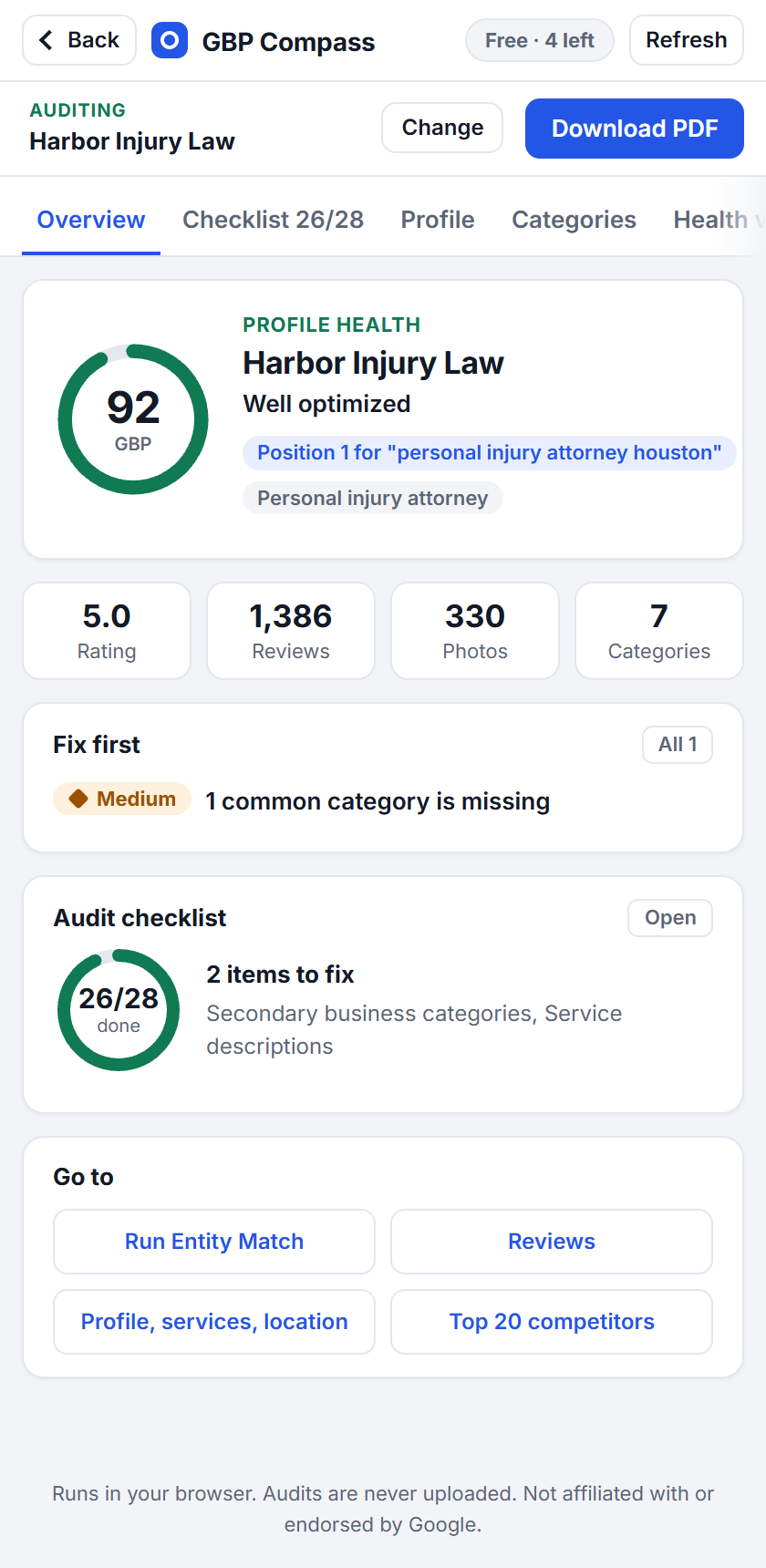
What it checks
The profile, the competition and the website, in one side panel.
Most tools look at one of these. GBP Compass reads all three and shows where they disagree.
Screenshot uses sample business details.
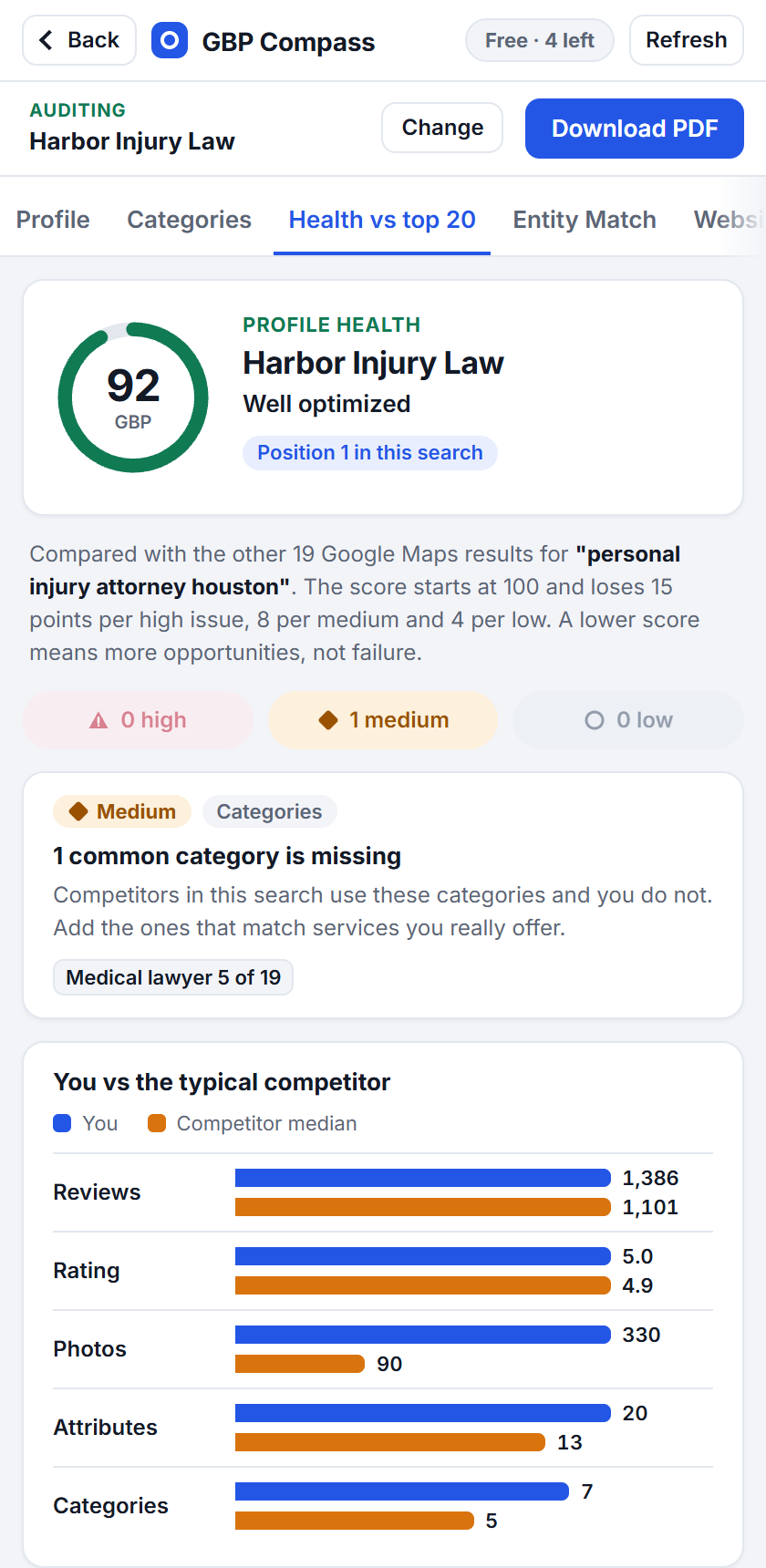
A health score against the top 20
Search a keyword on Google Maps and the profile is scored against the other businesses in that search. A lower score means more to gain, and every point lost is tied to a named issue.
- Categories the top 20 use that the profile does not
- Reviews, rating, photos and attributes against the typical competitor
- Issues marked high, medium or low so you know where to start
Screenshot uses sample business details.
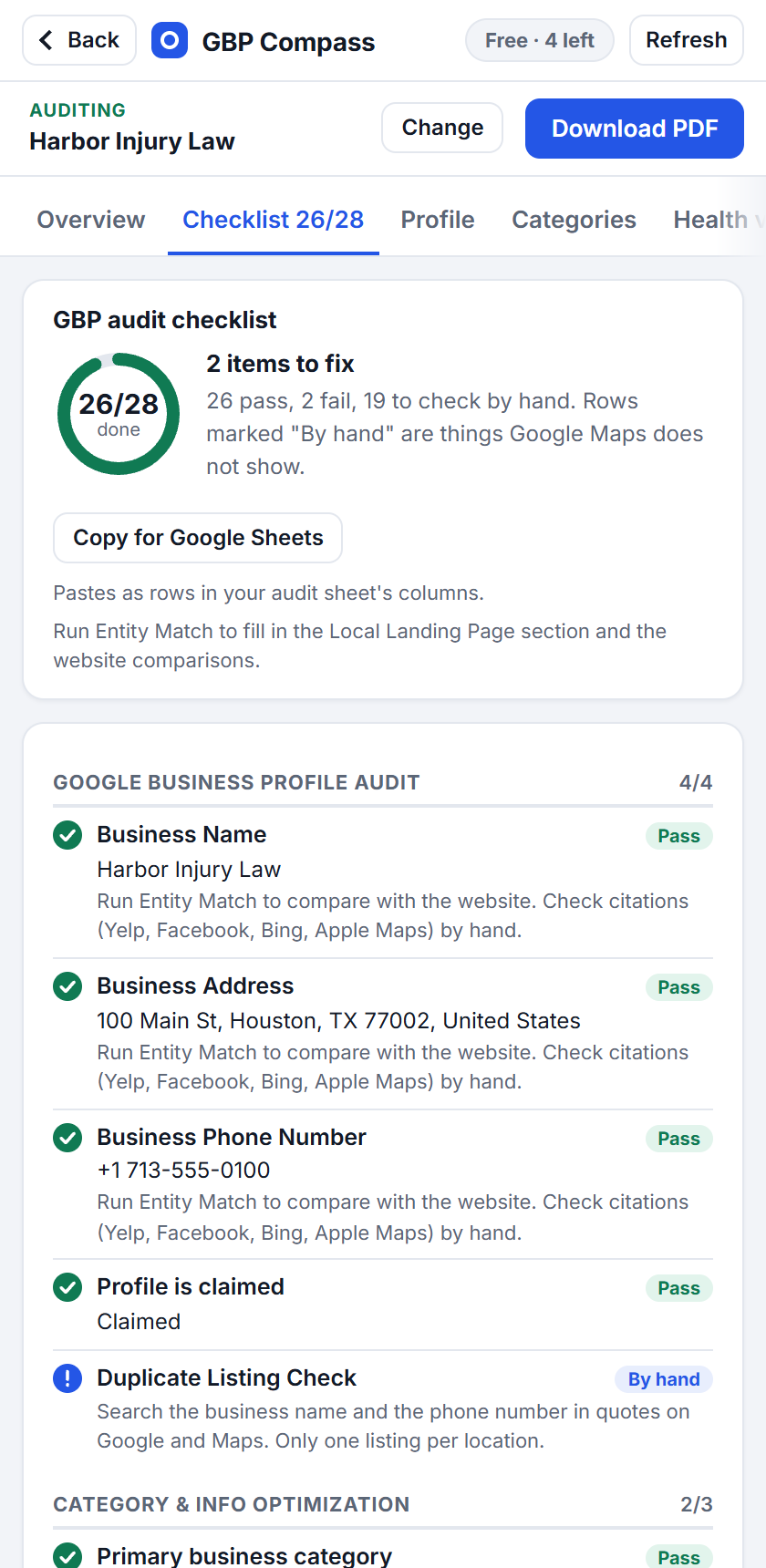
An audit checklist you can hand over
Eleven sections cover the whole profile: name, address and phone, categories, services, hours, attributes, photos, reviews, posts and the landing page.
- Each row is marked Pass, Fail or By hand
- Copy the checklist into Google Sheets in one click
- Download a PDF report to share with a client
Screenshot uses sample business details.
Does the website back up the profile?
Entity Match reads the page the profile links to and checks it against the profile, then audits the page itself without you leaving Google Maps.
- Name, address and phone on the page against the profile
- Category and city in the title, heading and URL
- Local business schema, hours, map, reviews and link tracking
- On-page audit: title, meta, headings, links, images, schema
How it works
Three steps, no setup.
Step 1
Search on Google Maps
Search the keyword you care about, for example "plumber in Austin". The side panel lists the top 20.
Step 2
Open a business
Click any listing. The score, the checklist, the reviews and the posts fill in within a second or two.
Step 3
Work the fix list
Start with the high issues, run Entity Match for the website, and download the report when you are done.
Private by design
Your audits stay in your browser.
GBP Compass has no account and no analytics. It reads what Google Maps has already loaded on your screen and works everything out on your computer.
Nothing is uploaded
We do not receive the pages you audit, the businesses you look at or anything about you.
Website access is optional
Google Maps audits work straight away. Chrome asks for permission only when you first audit a website.
No extra requests to Google
The extension copies what the Maps page already loaded. It does not send its own requests to Google.
Plans
Every feature is free.
The free plan covers 5 business audits a month. Nothing is locked behind a paywall.
Free
$0
- 5 business audits a month
- Every tab, the checklist and the PDF report
- Top 20 lists for any keyword, not counted
- Website audits on any page, not counted
Pro Coming soon
- Unlimited business audits
- Your own logo and name on the report
Questions
Good to know.
Who is GBP Compass for?
Agencies, freelancers and in-house marketers who work on local SEO, and business owners who want to check their own listing.
Do I need access to the Business Profile?
No. It works on any listing you can open on Google Maps, so you can audit a prospect or a competitor as easily as a client.
What counts as one audit?
One business in a calendar month. Opening the same business again that month does not count twice. The count resets on the 1st.
Does it change anything on Google Maps or the profile?
No. It only reads. It cannot edit a profile, post a review or change what the page shows.
Which browsers does it support?
Chrome 116 or newer on a computer. It uses the Chrome side panel, so it does not run on phones.
Is this a Google product?
No. GBP Compass is an independent tool. It is not affiliated with or endorsed by Google, and the scores are our own analysis.